WordPress vs Custom HTML: Which Is Better for Your Business Website?
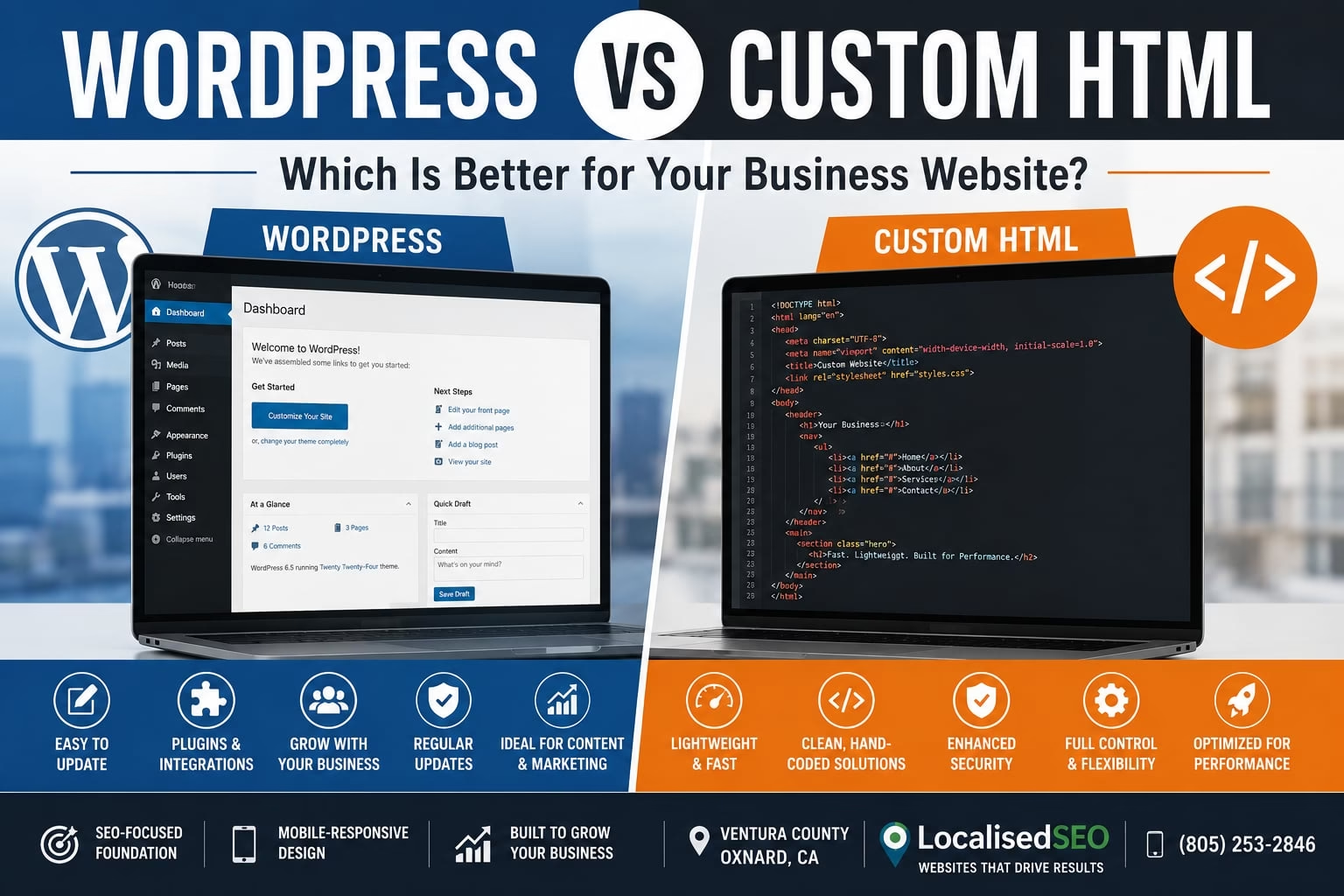
WordPress and custom HTML solve different business problems. This guide compares cost, maintenance, performance, and long-term fit so Ventura County business owners can decide which platform makes more sense for their website.
Key Takeaways
- WordPress is usually the stronger choice when your business needs frequent content updates and easier internal editing.
- Custom HTML is often a better fit when the site has a focused scope and speed, code control, and technical simplicity matter more.
- LocalisedSEO uses the same pricing structure for both approaches: $499, $699, or $1,098 per month, depending on the service tier.
- Either platform can perform well when it is built around mobile usability, clean site structure, and Core Web Vitals.
What Is WordPress?
WordPress is a content management system that allows your team to edit pages, publish articles, update images, and expand the website through an administrative dashboard.
It is commonly used by professional service firms, contractors, healthcare practices, restaurants, retailers, and businesses that regularly publish new content.
A WordPress website may include:
- Service pages
- Blog functionality
- Forms and lead capture tools
- Location pages
- Third-party integrations
- SEO tools
- Marketing plugins
The main trade-off is maintenance. WordPress requires ongoing attention to the core system, plugins, themes, security, and performance.
What Is Custom HTML?
A custom HTML website is built directly with technologies such as HTML5, CSS3, and JavaScript rather than relying on a complete content management system.
This approach gives the developer direct control over page structure, markup, assets, and the code delivered to the browser.
Custom HTML is often a good fit when:
- Performance is a primary concern.
- The website has a clearly defined scope.
- Content changes are infrequent.
- You do not need a full content management dashboard.
- Direct control over the code is important.
The main trade-off is editing. Routine content changes may require more developer involvement than they would with WordPress.
Cost Comparison
LocalisedSEO uses the same three pricing tiers for WordPress and custom HTML website work.
The difference is not the platform price itself. It is how the included website, SEO, and revision time is allocated based on the needs of the project.
| Plan | Monthly Price | Setup Fee | Included Time |
|---|---|---|---|
| Starter | $499/month | $500 | Up to 3 hours of SEO and revisions |
| Advanced | $699/month | $300 | Up to 8 hours of SEO and revisions |
| Pro | $1,098/month | $1 | Up to 12 hours of SEO and revisions |
The Starter plan includes website hosting and security, plugin and security updates, Google Business Profile management, and two Google Posts per month.
The Advanced plan includes everything in Starter, plus one Google Workspace email, local SEO citations, Facebook posting, and Google/Bing Ads management.
The Pro plan includes everything in Advanced, plus a custom website, four Google Posts per month, email remarketing, and Facebook Ads management.
Page Count
A larger website requires more design, development, content integration, testing, and revisions.
More pages use more of the included project time regardless of whether the site is built in WordPress or custom HTML.
Functionality
Forms, booking systems, customer portals, e-commerce tools, payment systems, and third-party integrations add development work.
More complex functionality can make a plan with additional included hours more practical.
Design Complexity
A focused website using a consistent layout system usually requires less development time than a site with many unique page templates.
More custom layouts increase the amount of development and testing needed.
Performance Requirements
Performance work may include reducing unnecessary scripts, controlling page weight, improving mobile usability, and addressing Core Web Vitals.
A site with stricter speed requirements may require more development time, particularly when existing code, plugins, or third-party tools need attention.
Ongoing Changes
WordPress may be more practical when your team expects frequent content and page updates.
Custom HTML may use fewer platform components, but changes that require direct development can use more of the available revision time.
Durability and Lifespan
Both platforms can provide long-term value when they are maintained properly.
WordPress benefits from a large development ecosystem, broad hosting support, and an established content-management structure.
Custom HTML reduces dependence on themes, plugins, and CMS components while giving the developer more direct control over the codebase.
Neither platform is automatically more durable. The better choice depends on how the site will be updated, who will manage it, and how much functionality it needs over time.
When WordPress Is the Better Choice
WordPress is usually the better choice when your business needs frequent content updates.
Choose WordPress when:
- Your team publishes articles or service pages regularly.
- Employees need to edit pages without writing code.
- The website is expected to expand over time.
- You use several marketing or third-party integrations.
- Local SEO and content publishing are important to customer acquisition.
- Your staff needs routine access to website content.
A professional services firm publishing new resources every month may benefit from WordPress because its team can handle more routine editing internally.
The same can apply to home service companies, healthcare practices, law firms, restaurants, and businesses that regularly add services or location pages.
When Custom HTML Is the Better Choice
Custom HTML is usually the better choice when the website has a defined scope and direct control over performance is more important than frequent internal editing.
Choose custom HTML when:
- The site has a relatively small number of pages.
- Content changes are infrequent.
- Speed and code control are major priorities.
- You do not need a full content management system.
- The site functionality is clearly defined.
- You want a smaller technical footprint.
A focused business website that changes only a few times per year may not need the additional administrative layer of WordPress.
In that case, custom HTML can be the simpler fit.
What Goes Wrong When a Website Is Built Badly
Poor implementation can create performance and usability problems on either platform.
Plugin Bloat
Plugin bloat happens when a WordPress site uses more plugins and related scripts than it needs.
That can add page weight, increase maintenance requirements, and create conflicts between different parts of the site.
Render-Blocking Resources
Render-blocking resources delay the browser from displaying important content.
Heavy stylesheets, scripts, fonts, and third-party tools can slow down the visible loading of a page on both WordPress and custom HTML websites.
Cumulative Layout Shift
Cumulative Layout Shift occurs when visible elements move unexpectedly while the page loads.
Visitors may see text, images, or buttons jump position, which creates a poor mobile experience and can weaken Core Web Vitals performance.
Oversized Assets
Large images, videos, scripts, and font files increase the amount of data the browser has to load.
A website can look simple and still perform poorly if its assets are unnecessarily heavy.
Broken Responsive Layouts
Responsive layout failures happen when a page does not adapt correctly to different screen sizes.
Text may become difficult to read, navigation may break, or buttons may become difficult to use on phones and tablets.
Indexation Problems
Indexation problems can prevent important pages from appearing properly in search results.
Incorrect directives, duplicate URLs, redirect issues, or weak site architecture can make it harder for search engines to discover and understand the right pages.
When WordPress Is the Wrong Choice
WordPress may be unnecessary when the site is small, stable, and rarely edited.
Installing a full CMS for a handful of fixed pages can introduce components your business does not need.
It also creates ongoing maintenance requirements for the WordPress core, plugins, themes, and security components.
If your business does not need frequent internal editing, custom HTML may be the cleaner option.
When Custom HTML Is the Wrong Choice
Custom HTML may be the wrong choice when your marketing team expects to make frequent changes without developer involvement.
A growing site can become harder to manage if every new page or routine content change requires direct code work.
WordPress may also be more practical when your business expects to publish substantial amounts of new content over time.
In that case, easier content management can be more useful than maintaining a smaller codebase.
Frequently Asked Questions
Is custom HTML faster than WordPress?
It can be, especially when the website has a focused scope and very little code is required.
Platform choice alone does not determine speed, though. Hosting, scripts, images, fonts, third-party tools, plugins, and development decisions all affect performance.
Is WordPress bad for Core Web Vitals?
No.
WordPress can perform well when unnecessary plugins, scripts, and assets are controlled and the site is built with mobile performance in mind.
Is custom HTML better for SEO?
Not automatically.
Both platforms can support crawlable pages, structured data, metadata, internal links, mobile usability, and other SEO requirements.
The quality of the implementation matters more than the platform name.
Is WordPress easier to update?
Usually, yes.
Its content management dashboard is one of the main reasons businesses choose WordPress, particularly when employees need to make routine content changes.
Does custom HTML require a developer for changes?
Often, yes.
The amount of developer involvement depends on how the site is built, but custom HTML generally provides less built-in content management than WordPress.
How much does LocalisedSEO charge?
LocalisedSEO offers three monthly pricing tiers.
Starter is $499 per month with a $500 setup fee and up to 3 hours of SEO and revisions.
Advanced is $699 per month with a $300 setup fee and up to 8 hours of SEO and revisions.
Pro is $1,098 per month with a $1 setup fee and up to 12 hours of SEO and revisions.
Is the pricing different for WordPress and custom HTML?
No.
LocalisedSEO uses the same pricing structure for both approaches. The difference is how the available development, SEO, and revision time is used based on the project.
Final Thoughts
WordPress is generally the better fit when your business needs frequent content changes and easier internal editing. Custom HTML is often the better fit when you want a focused site with tighter control over the code and technical footprint.
The decision comes down to how your website will be managed, how often it will change, and how much functionality it needs.
LocalisedSEO builds both WordPress and custom HTML5/CSS3 websites for businesses in Oxnard and throughout Ventura County. Plans start at $499 per month, with Advanced at $699 per month and Pro at $1,098 per month.
Call LocalisedSEO at (805) 253-2846 to discuss whether WordPress or custom HTML is the better fit for your business.
Contact Us For A Free Consultation Today!
Other Blogs You May Be Interested In